Add the Connect button
Drop this one line wherever your merchants manage their account. It renders a “Connect Pay by Phone” button that opens Ringup’s hosted connect page, where the merchant chooses when payment should be taken and authorizes their own processor.The platform number that answers this merchant’s calls (the Vapi DID), so Ringup maps the connected merchant to it.
Your own id for this merchant (e.g.
restaurant-4821), stored and echoed back on merchant.connected.URL to send the merchant back to after they connect.
Button text. Defaults to “Connect Pay by Phone”.
filled (default) or outline to match a light dashboard.Override the Ringup base URL. Defaults to
https://ringup.dev.What the merchant sees
First the merchant chooses when payment is taken: on every call, only over an amount, or offered but never required. They can also set what your agent says after a payment succeeds or fails.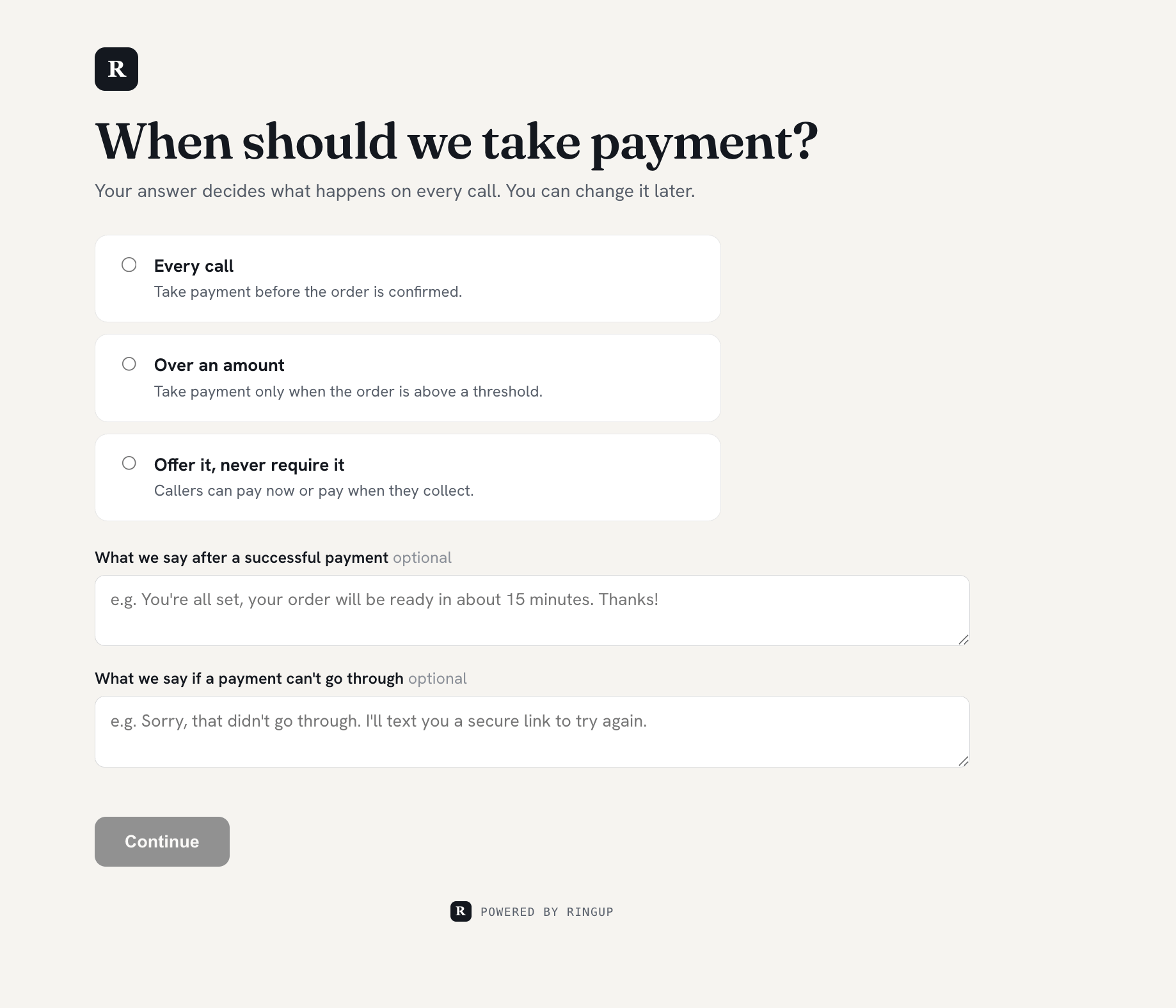
The merchant sets the payment policy on the hosted page.
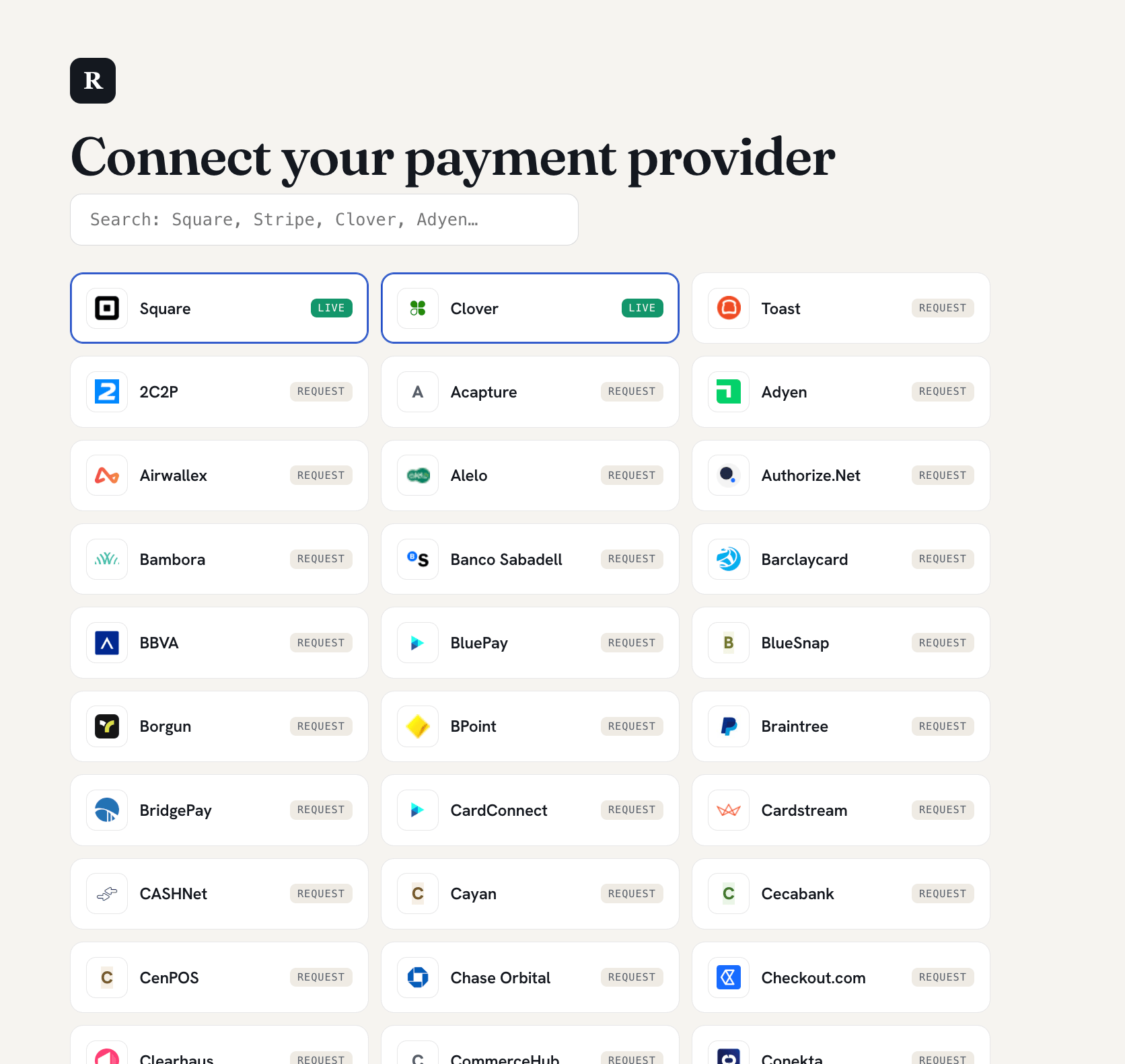
The hosted page lists supported processors. Square and Clover connect now.
Square
One-click OAuth. What the merchant does.
Clover
Paste tokens from the Clover dashboard. What the merchant does.
How it fits your integration
Connecting is the merchant’s step, done whenever they are ready, independent of your own launch. Until a merchant connects, the payment layer stays inaudible on their calls (create_checkout returns payment_required: "none"), so you can ship Ringup across your whole fleet while merchants onboard at their own pace. The merchant is live the moment they connect, with nothing else for you to do; Ringup fires merchant.connected (carrying merchant_id) so you can reflect it in your own UI.
You never handle card data or the merchant’s processor credentials. For OAuth processors the client secret stays on Ringup’s server; for credential-entry processors the keys go straight into a hosted, encrypted field, never through your dashboard.
Next steps
Square
One-click OAuth. What the merchant does.
Clover
Token paste. What the merchant does.